Применимость
| Модель | Двигатель | Год |
|---|---|---|
| V70 (08-) | — | 2008–2011 |
| XC70 (08-) | — | 2008–2011 |
Примечание: Some steps in these installation instructions are presented with illustration only.
Примечание: On cars with a subwoofer, a fibre optic adapter cable is required to be able to connect the satellite receiver.
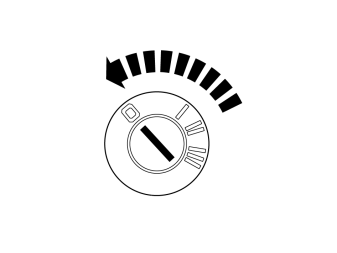
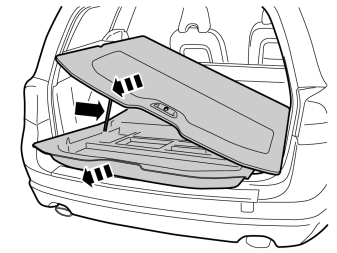
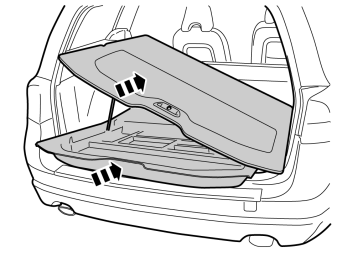
- Fold up the luggage compartment floor.
- Pull it from the mountings at the front edge.
- Pull out the luggage compartment floor and the storage box slightly to access the area behind the backrest.
Примечание: Note the luggage compartment floor's gas strut.
Steps 3-6 apply to cars with subwoofer
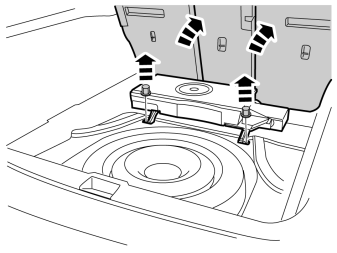
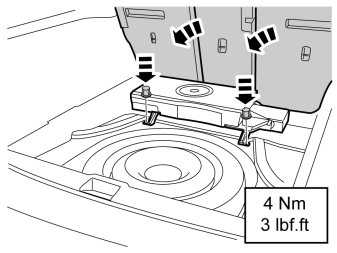
- Remove the rear plastic nuts for the subwoofer.
- Fold the backrest forward.
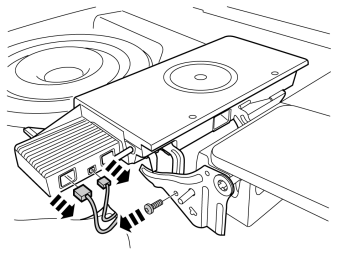
- Disconnect the connectors from the subwoofer.
- Remove the screw from the right-hand mounting.
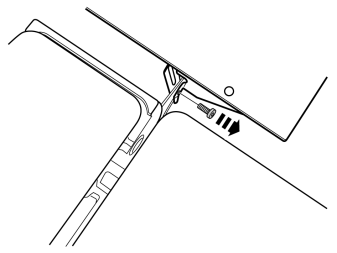
- Remove the screw from the left-hand mounting.
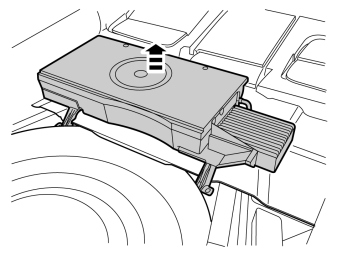
Installation
Applies to all models
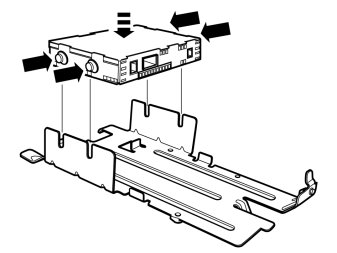
Applies to cars without subwoofer
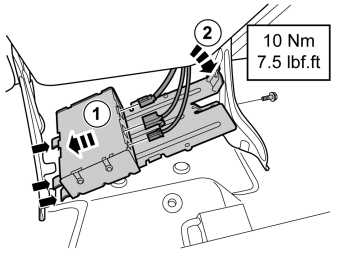
- Install the satellite unit with bracket on the reverse of the rear backrest.
- Install the screw and torque tighten to 10 Nm (7.5 lbf.ft.)
- Connect pre-routed cables to the unit:power supply, antenna cableand fibre optic cable.These are located under the floor carpet in the connection for the location of the unit.
Steps 9-14 apply to cars with subwoofer
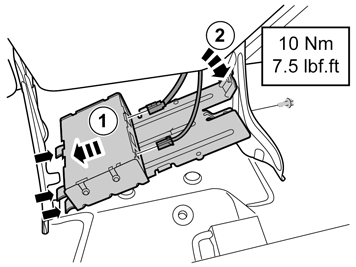
- Install the satellite unit with bracket on the reverse of the rear backrest.
- Install the screw and torque tighten to 10 Nm (7.5 lbf.ft.)
- Connect pre-routed cables to the unit:power supply and antenna cable.These are located under the floor carpet in the connection for the location of the unit. The new fibre optic adapter cable is connected later.
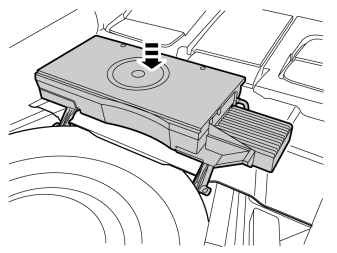
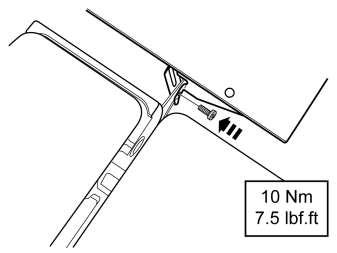
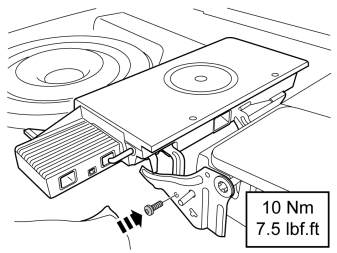
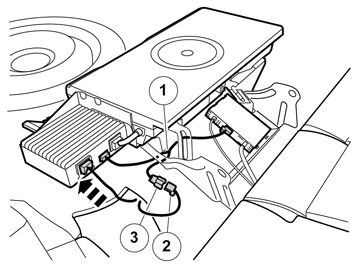
- Take the fibre optic adapter cable (1) from the kit and connect both the male connectors to the Subwoofer, respectively, Sirius unit.
- Connect the male connector (2), which was previously disconnected from the Subwoofer, to the female connector (3) in the fibre optic adapter cable.
- Connect the remaining power supply cable to the Subwoofer. Ensure that all cables are positioned to prevent them from being cut off.
Applies to all models
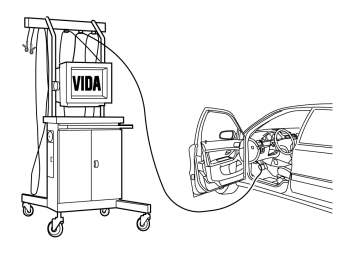
- Download software for the accessory's function according to service information in VIDA. (See VIDA or accessories catalogue for article number on software).
Обсуждение и оценка
0Пока нет комментариев. Будьте первым.