Применимость
| Модель | Двигатель | Год |
|---|---|---|
| S40 (-04) | — | 2001–2004 |
| V40 (-04) | — | 2001–2004 |
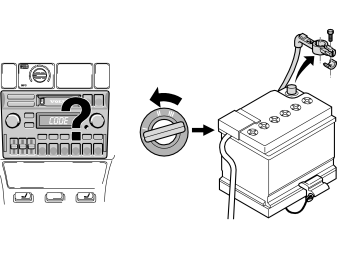
- Note the radio code.
- Turn the ignition key to position 0. Remove the key from the ignition switch.
- Disconnect the battery negative lead.
Примечание: Wait at least five minutes before disconnecting the connectors or removing other electrical equipment.
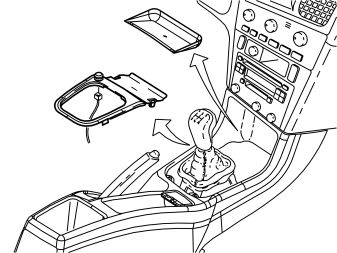
- Remove the rubber mat in front of the gear lever.
- Carefully prise loose the panel around the gear lever.
- Pull up the panel, unplug the cigarette lighter connector on the underside and put the panel to the side.
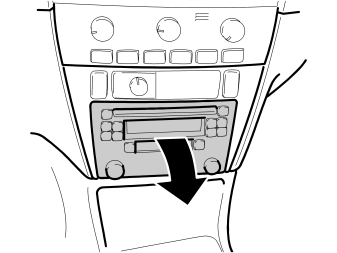
- Detach the radio by pressing in the catches to release them.
- Pull out the catches and pull out the radio.
- Unplug the connectors. Remove the radio.
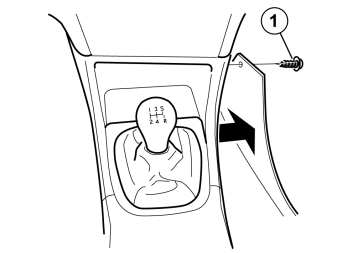
- Remove the screw (1).
- Remove the side panel of the centre console.
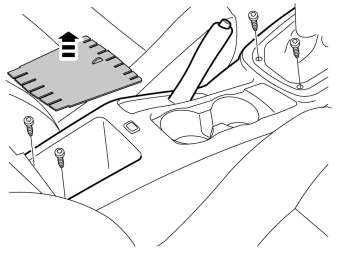
- Remove the rubber mat in the storage compartment at the rear edge of the tunnel console.
- Remove the four screws holding the tunnel console in place.
- Lift out the centre console.
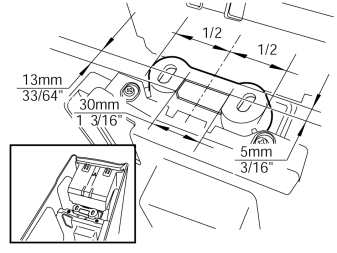
- Cut/drill/fill out a hole for the iPod adapter contact in the rear edge/underside of the tunnel console.
Installing the iPod adapter
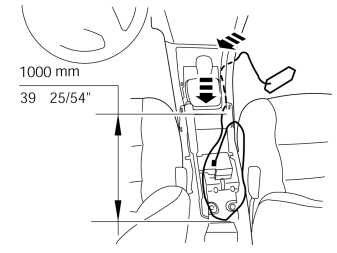
- Insert the iPod adapter cable in the tunnel console and route it rearwards on the right side of the lever assembly to the bracket for the tunnel console's rear mounting.
- Pull out the cable from the lever assembly so that its length (stretched out) is 1000 mm (40") between the contact and lever assembly.
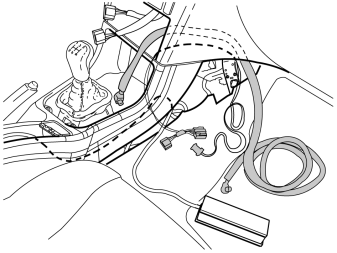
- Take the adapter cable of the iPod adapter's power supply and route it through the radio aperture and out through the right side of the tunnel console.
- Do the same with the Melbus cable.
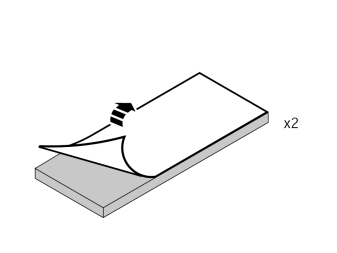
- Remove the backing tape on the two foam rubber guards.
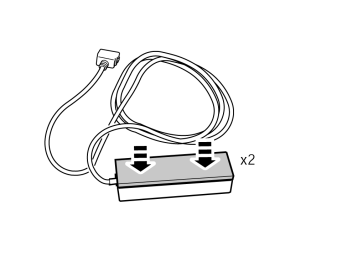
- Press the a foam rubber guard onto each side of the iPod adapter's largest surfaces.
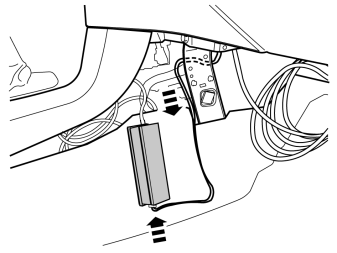
- Route the cable of the iPod adapter's power supply inside the centre console brace and plug in the iPod adapter connector.
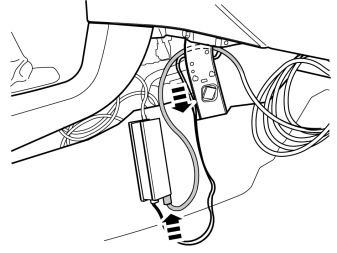
- Route the Melbus cable of the iPod adapter inside the centre console brace and plug in the iPod adapter connector.
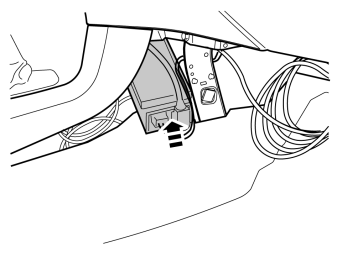
- Insert the iPod adapter in the space beneath the radio aperture in the centre console.
Примечание: No parts of the adapter chassis may come into contact with the car's chassis ground.
Illustrations A and B
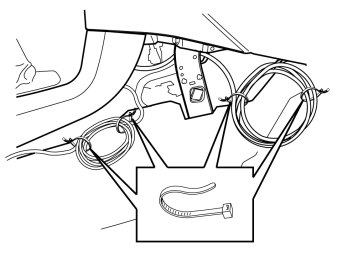
- Wind up excess cable of the Melbus cable and the cable running to the tunnel console's storage compartment. Secure them with tie straps from the kit.
- Position excess cable within the floor mat as in Figure B.
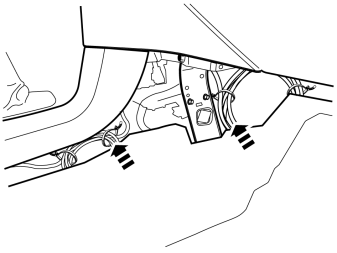
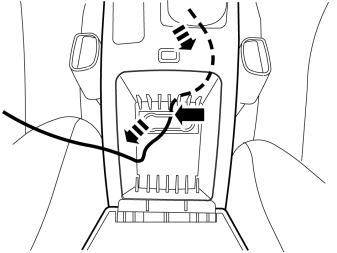
- Position the cable beneath the tunnel console so that there is no risk that it will be pinched or chafed.
- Take the tunnel console, route the cable from the iPod adapter through the cut-out and reposition the tunnel console. Make sure that the cable is not pinched at the tunnel console's rear mounting. Make additional cuts if necessary.
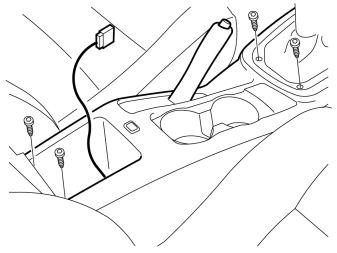
- Tighten the tunnel console into place with the four screws.
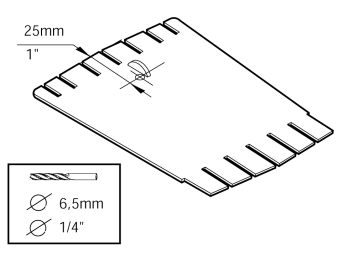
- Drill a Ø6.5 mm (1/4") in the tunnel console's rubber mat for the cable grommet as illustrated.
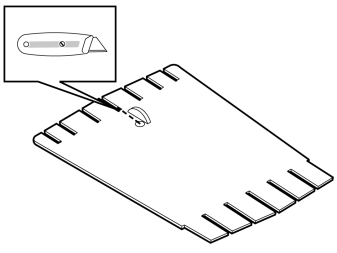
- Make a cut between the drilled hole and the slot in the front of the rubber mat.
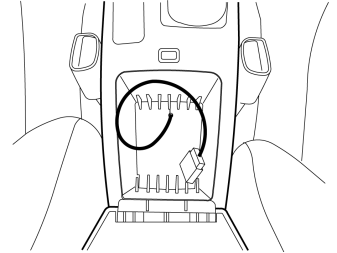
- Reposition the rubber mat in the storage compartment.
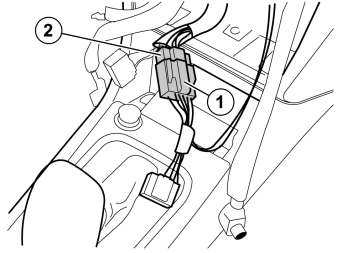
- Plug in the adapter cable's female connector (1) to the corresponding connector (2) on the radio.
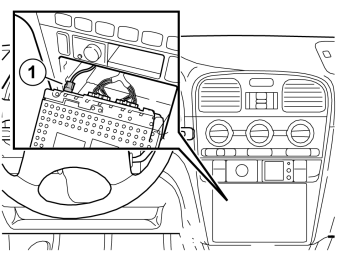
- Connect the Melbus cable (1) from the iPod adapter and the remaining connectors to the corresponding sockets in the radio.
- Refit the radio.
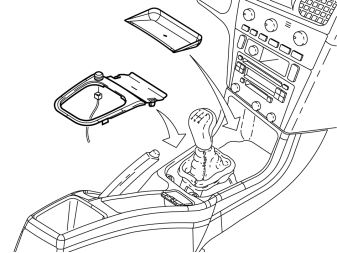
- Connect the cigarette lighter contact and reposition the panel around the gear lever.
- Reposition the rubber mat in front of the gear lever.
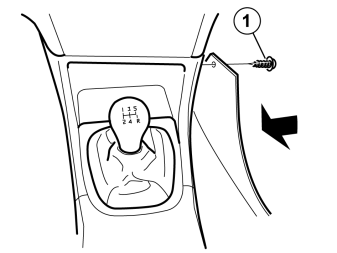
- Reinstall the side panel and tighten it with the screw (1).
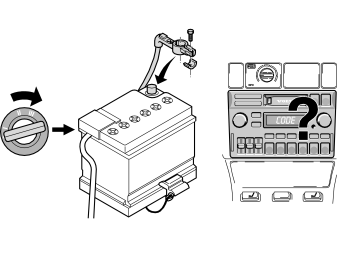
- Turn the ignition key to position II.
- Connect the battery negative lead.
- If necessary, enter the radio code.
Functionality check
- Connect an iPod unit with stored music.
- Check that the adapter controls the iPod unit: "Volvo for life" and "OK to disconnect" appear on the iPod unit display. The scroll wheel and menu buttons of the iPod adapter are locked.
- Check that the iPod unit plays. If it does not have any defined playlists, only CD 10 (playlist 10) will be played.
Обсуждение и оценка
0Пока нет комментариев. Будьте первым.